
There are a few reasons why you might generate a candidate pack so it is important to understand which checkboxes you will use in each scenario.
If a Candidate Pack is Missing
(or an application section has been manually changed and candidate pack requires updating)
- Go to the Selection/Hiring tab and check the boxes of the affected candidate(s)
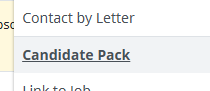
- Go to the three dots and select "Candidate Pack"
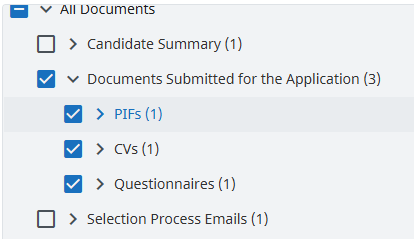
- Review the check boxes, you should only require those within "Documents Submitted for the Application" - note that depending how your application is configured you may have more or less options. Diversity questionnaires will not appear here as these can never be included in the candidate pack.
- Check "Save in Candidate Documents"
(It is important to note that candidates packs saved in candidate documents will also be visible to the candidate within their myjobscotland account so never save a candidate pack with additional documents attached)
- Proceed > the candidate pack will now be visible.
See video guidance for full walkthrough:
Multiple Candidates Missing Candidate Pack
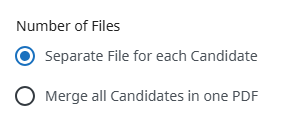
Follow the same instructions as above, you will notice an additional question regarding the "Number of Files", ensure you select "Separate File for each Candidate".
Generate a Candidate Pack at The End of The Recruitment Process
If at the end of a recruitment process you wish to download all the candidate information in one PDF for their file you can do so with the candidate pack feature. The only thing this will not include is any forms of the "Diversity" form type and these would need to be downloaded separately if required.
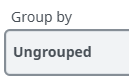
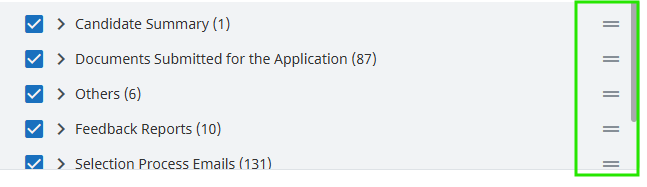
The process is mostly the same as above, within the top section, you will see sorting and grouping options - this will allow you to re-order the PDF. For full customisation of the order I recommend using "Group by: Ungrouped", this will create a long list of documents you can rearrange using the the two lines at the side of each option to drag and drop.
You must not check "Save in Candidate's Documents" as this would supersede the candidates application pack and become visible in their myjobscotland account.
