Launched 16 November 2026
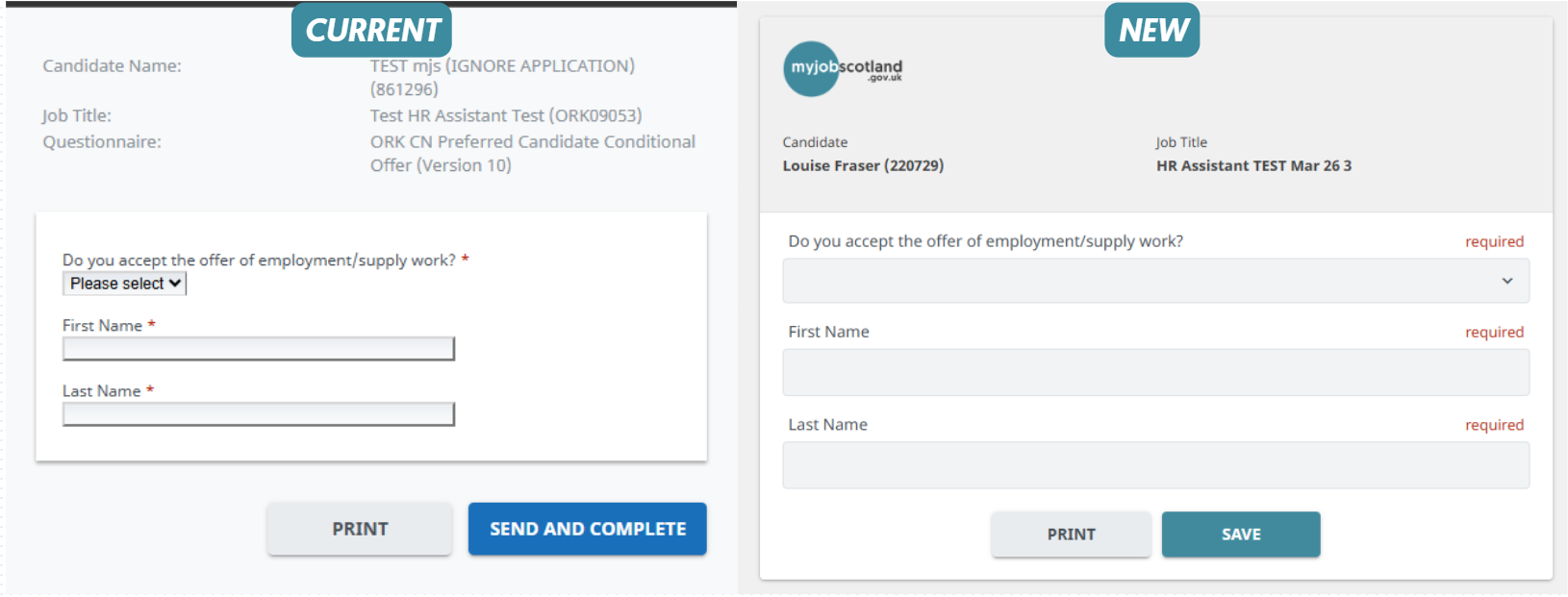
You will all be familiar with the form display candidates/referees see when you request information during the selection process. We will shortly be able to brand your forms to represent your organisation.
See our example below:
How to get branded:
Only the myjobscotland team can configure your brand settings but you need to provide the information.
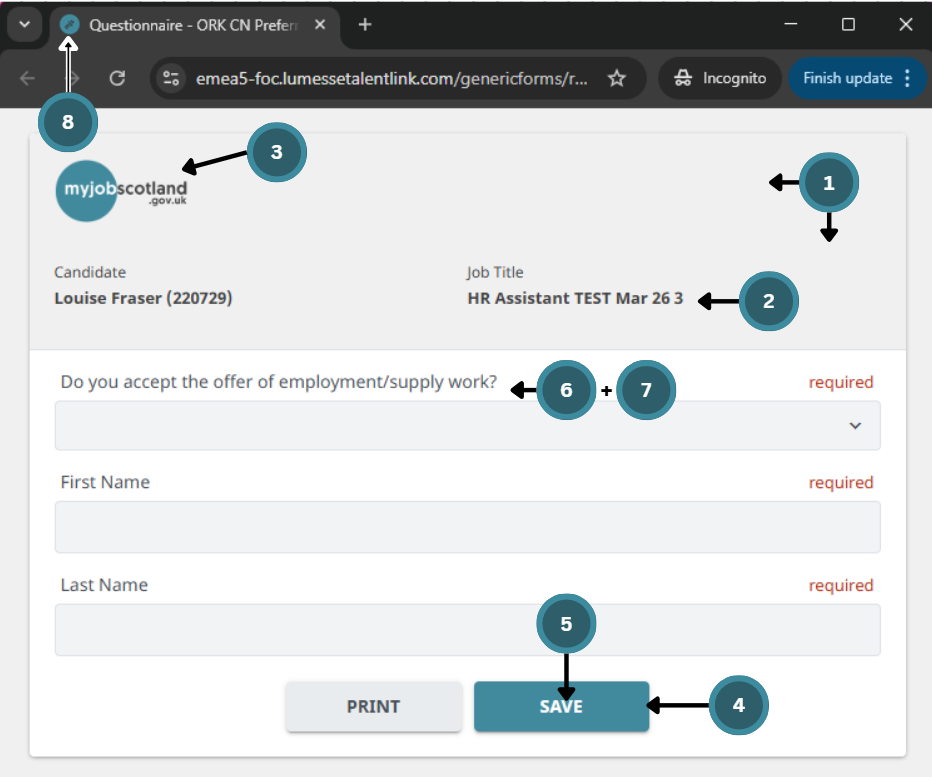
Below I have numbered all the possible settings and what we require, you do not need to provide an option for every setting but 3 and 4 will make the biggest impression. Colours should be provided as the HEX code and logos should be hi-res - please speak to your marketing/comms teams if you do not have this.
Main Settings | ||
1 | Background Colour | |
2 | Font Colour on Background | |
Header Settings | ||
3 | Header Logo | |
Buttons | ||
4 | Main Colour | |
5 | Main Font Colour | |
Fonts | ||
6 | Font type | |
7 | Main Font Colour | |
Images | ||
8 | Favicon Logo | |
Branding can only be configured at Org L1 therefore if you have ALEOS who would normally use different branding this will not be possible at this time. You may want to consider combining logos for the header image.

For example, COSLA: